

The central frustration for any creator working with generative motion is the “slot machine” effect. You write a prompt, pull the lever, and hope the character that emerges looks like the one from your previous clip. Often, they don’t. A protagonist might have blue eyes in one shot and hazel in the next; a jacket might spontaneously change from denim to leather during a camera pan. This lack of temporal consistency is the primary barrier preventing indie makers from moving from “cool clips” to coherent visual storytelling.
For those using an AI Video Generator, the shift from amateur experimentation to professional-grade output requires moving away from pure text-to-video workflows. Reliability in this space isn’t found in a perfectly worded prompt, but in a systematic pipeline where static assets serve as the anchor for every subsequent frame of motion.
The Identity Problem in Generative Motion
The fundamental issue with basic text-to-video generation is that most models interpret each request as a fresh start. Even with sophisticated Large Language Models (LLMs) interpreting your prompt, the “visual memory” of the system is remarkably short. When you ask for “a man walking through a neon-lit city,” the AI constructs a man based on the statistical probabilities of its training data. When you follow up with “the same man sitting in a café,” the AI isn’t “remembering” the first man; it is simply generating a new man based on the same description.
This creates “character drift.” The cognitive load of trying to describe every micro-detail—the specific bridge of the nose, the exact shade of a shirt, the placement of a scar—to ensure the AI doesn’t deviate is exhausting and often futile. Pure text-to-video workflows struggle because language is too imprecise to define a complex 3D entity across time and space. Without a visual reference point, the AI Video Generator is essentially guessing what “the same character” means.
The Reference-First Workflow: Starting with the Image Anchor
To maintain a stable identity, seasoned operators have moved toward a reference-first workflow. Instead of asking the video engine to create the character and the motion simultaneously, you separate the two tasks. You establish the visual “source of truth” using a high-fidelity image generator before any motion is rendered.
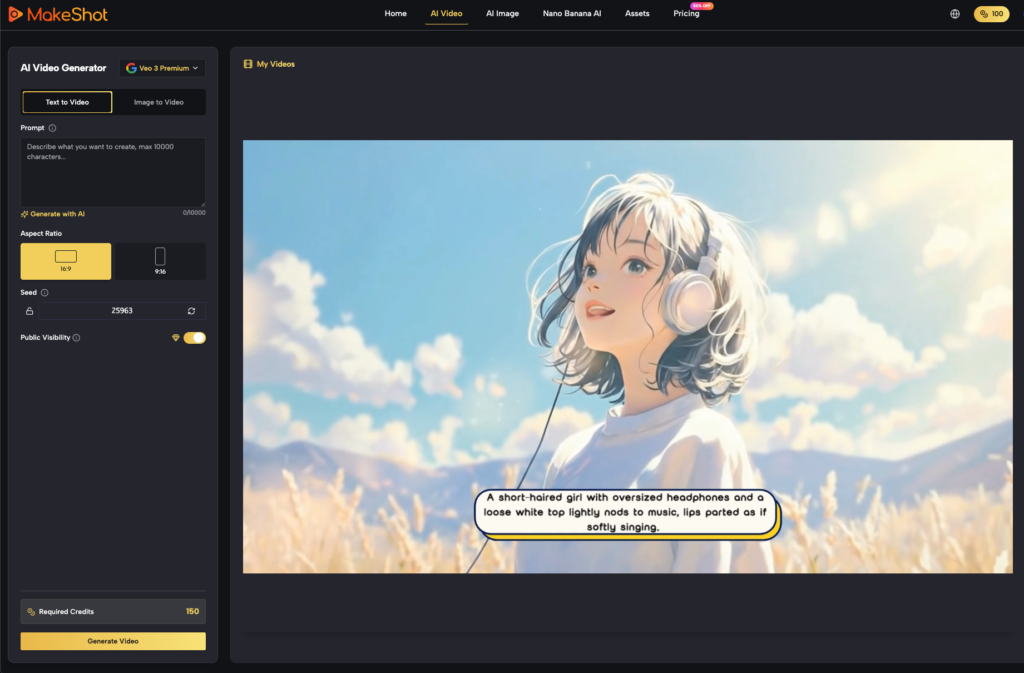
Using tools like Nano Banana on the MakeShot platform allows creators to iterate on a character’s aesthetic until it is locked in. This static image acts as a seed. When you feed a high-quality reference image into an AI Video Generator, you are effectively providing the engine with a roadmap. It no longer has to guess what the character’s hair texture looks like or how the lighting hits the scene; it only has to calculate how those existing pixels should move.
This approach significantly reduces computational guesswork. By establishing the lighting, texture, and geometry in the image phase, you drastically lower the chances of the “flicker” effect, where the AI constantly recalculates the character’s features during the animation.
Model Selection and the Consistency Spectrum
Not all video engines handle identity preservation with the same level of discipline. On a unified platform like MakeShot, creators can access a variety of models—such as Sora 2, Kling, and Veo 3—each of which has a distinct personality in how it balances creative movement against identity retention.
- Kling and Veo 3: These models are often praised for their fluid, cinematic motion. However, there is a known trade-off: high motion intensity can sometimes lead to the warping of facial structures. If you are generating a close-up character shot, you may need to dial back the motion settings to ensure the skeletal structure of the face remains intact.
- Sora 2: This model typically excels at environmental physics, making it ideal for wide shots where the scene identity—the architecture, the foliage, the atmosphere—is more important than the minute details of a single face.
It is important to maintain a level of skepticism regarding “one-click” consistency features. In practice, the stability of a character often depends as much on the simplicity of the character design as it does on the model used. A character with a very distinct, high-contrast feature (like a bright red hat) is much easier for the AI Video Generator to track than a character with generic features and subtle clothing.
Technical Guardrails for Environmental Continuity
Consistency isn’t just about the character; it’s about the world they inhabit. If the camera moves, the environment must feel persistent. One of the most common failures in AI video is the “morphing room,” where a wall or a window changes shape as the camera dollies past.
To mitigate this, creators should fix the aspect ratio and color palette as early as possible. Using specific hex codes or lighting styles (e.g., “golden hour, 35mm film grain, teal and orange grade”) across all prompts helps maintain a visual DNA.
Another tactical layer is the use of negative prompting. If you notice a character’s hair consistently changing length during high-action sequences, adding negative prompts like “long hair, hair growth, morphing” can act as a guardrail. Furthermore, seed control—reusing the same numerical seed for a sequence of clips—can sometimes help the AI Video Generator maintain the underlying noise pattern of the scene, though this is far from a guaranteed fix in the current generation of tools.
The Reality of Temporal Drift and Where It Fails
We must be realistic about the current boundaries of technology. Even with a reference-first workflow, long-form character consistency—meaning a character that remains pixel-perfect over 30 to 60 seconds of footage—is still an unsolved problem in a pure generative context.
Current AI Video Generator models still struggle with complex occlusions. For example, if a character walks behind a tree and emerges on the other side, there is a high probability that some detail of their clothing or face will have shifted. The AI has to “re-generate” the character as they reappear, and it doesn’t always nail the transition.
Furthermore, there is a persistent uncertainty regarding “identity lock” features marketed by various platforms. While many claim to have solved character consistency, the reality is that most of these systems still produce minor “micro-mutations.” For high-stakes professional work, creators still find themselves needing to use traditional post-production techniques, such as rotoscoping or digital paint-overs, to fix these small errors. The AI does 90% of the work, but the final 10% often remains a manual endeavor.
Structuring the Modern Creator Pipeline
For the indie maker looking to build a repeatable workflow, the “Image-to-Video” loop is the most effective strategy. This isn’t a linear process; it’s a cycle of refinement:
- Step 1: The Anchor. Use an image generator to create your “hero” shot. This is your visual North Star.
- Step 2: The Animation. Feed that anchor into the AI Video Generator.
- Step 3: The Evaluation. Do not look at the whole video; look at the final frame. If the character still looks like themselves in that final frame, that frame becomes your new anchor for the next 5-second sequence.
- Step 4: The Stitch. By using the end of one clip as the beginning (or the reference) for the next, you create a “daisy chain” of visual identity.
By prioritizing identity-checks over motion-fluidity in the early iterations, you reduce waste. It is much easier to add more motion to a stable character later than it is to fix a character that has already started to mutate.
In the end, the goal of using an AI Video Generator is not to replace the director’s eye, but to provide a toolset that can finally keep up with it. By moving away from the “slot machine” mindset and adopting a reference-first, modular pipeline, creators can finally move past the novelty of AI and start building genuine, consistent narratives. The technology isn’t perfect, but with the right technical guardrails, the gap between a prompt and a finished film is closing faster than ever.