

The current state of generative media is a paradox of high speed and low precision. For a product team staring down a launch deadline, a tool that generates a near-perfect hero image in ten seconds feels like a miracle—until they notice the lighting doesn’t match the brand’s color palette or the simulated UI contains nonsensical text. This is the “90% threshold.” Generative models are excellent at the heavy lifting of composition and style, but the final 10%—the part that actually sells a product—often requires a level of control that raw prompting cannot provide.
Shipping assets for landing pages, social ads, or email headers requires more than just “vibe-adjacent” imagery. It requires functional fidelity. When a marketer needs a hero shot of a mobile app, they don’t just need a generic phone; they need the specific corner radius of the device, the correct aspect ratio, and a background that doesn’t distract from the value proposition. Relying solely on raw output from a text-to-image prompt is a recipe for “uncanny valley” marketing that erodes consumer trust before the first click.
The 90% Threshold: Why Raw Generative Images Fail Professional Standards
The primary friction point in using generative AI for high-stakes launches is the “hallucinated inconsistency.” You might prompt a high-end model for a sleek, minimalist office setting to showcase a new SaaS dashboard, only to find that the AI has added a third leg to a chair or a weirdly distorted plant in the corner. In a casual social post, these artifacts might go unnoticed. On a landing page where you are asking for a $500 annual subscription, they signal a lack of attention to detail.
Furthermore, brand guidelines are rarely satisfied by “close enough.” If your primary brand color is a specific hex code of cobalt blue, and the AI generates a slightly desaturated navy, the asset is unusable without correction. This is where “re-prompting” becomes a significant hidden cost. A creator might spend forty minutes trying to “prompt out” a specific artifact, when a dedicated AI Photo Editor could have fixed the issue in thirty seconds. The goal for professional teams isn’t just to generate; it’s to remediate.
The Remediation Layer: Operationalizing an AI Photo Editor
Professional workflows are shifting away from the idea of the “perfect prompt” and toward a multi-stage pipeline. In this model, the generative AI provides the rough draft—the composition, the lighting, and the general subject matter. The secondary layer, often facilitated by an AI Photo Editor, is where the actual production work happens.
Object Erasure and Subject Isolation
One of the most frequent uses of an AI Photo Editor in a launch sprint is cleaning up the background. AI models often over-complicate scenes with “visual noise”—extra cables, blurred figures in the background, or messy shadows. Using an object eraser allows a designer to keep the primary subject (like a laptop or a person using the product) while stripping away the distractions that could draw the eye away from the call to action.
Upscaling for High-Density Displays
Most generative models output at a resolution that looks fine on a smartphone but falls apart on a 27-inch 5K monitor. Launch assets for landing pages need to be crisp. Using an integrated upscaler within an AI Photo Editor ensures that the fine details—the texture of the product or the clarity of the background—remain sharp without the “plastic” look often associated with low-quality sharpening filters.
Evaluating Model Hubs: When to Use Flux vs. Nano for Component Assets
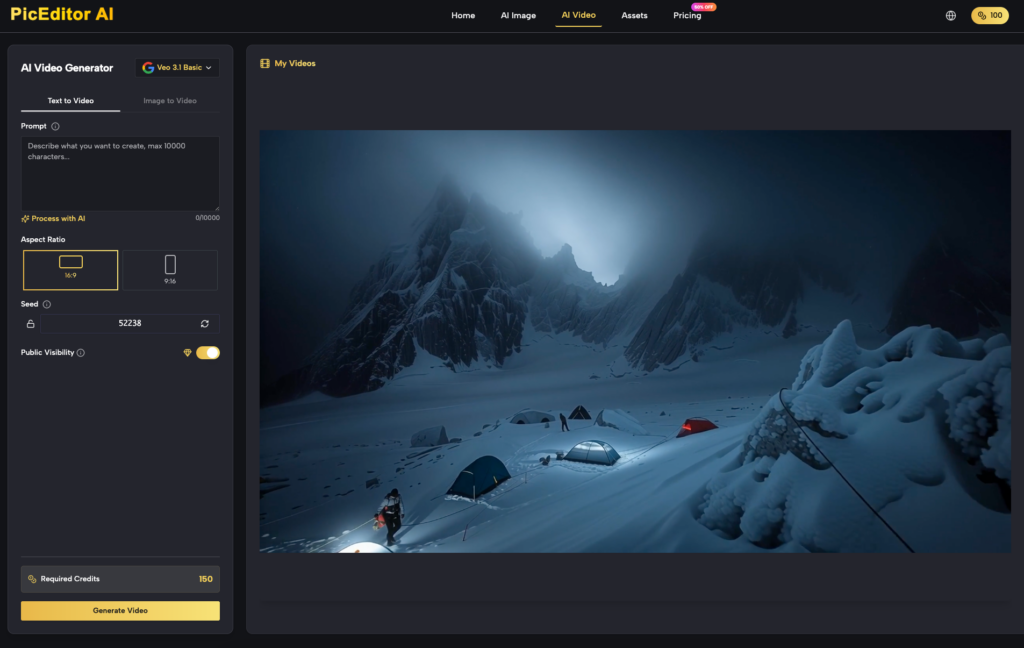
Not every asset requires the same level of compute or complexity. A product team needs to understand the strengths of the different models available within their ecosystem. Platforms like PicEditor AI consolidate multiple models, which helps reduce the “tab-fatigue” of jumping between specialized tools for generation and editing.
-
Flux for High-Complexity Hero Shots: If you are building the main image for a “Coming Soon” page, Flux is often the better choice due to its superior handling of complex compositions and more realistic textures. It handles human anatomy and lighting physics with a degree of sophistication that makes it a reliable base for further editing.
-
Nano for Rapid Social Iterations: When a performance marketer needs twenty different versions of a background for a Facebook Ad test, the Nano model is more efficient. It produces lightweight, high-speed iterations that are “good enough” for the high-volume, low-lifespan environment of social feeds.
The value of having these models in a unified platform is the history and versioning. During a team feedback round, a creative lead might ask to “go back to the lighting from version three but keep the subject from version five.” Without a centralized workflow, that request is a nightmare to fulfill.
Boundary Conditions: Where AI Tools Hit the Wall
It is vital to maintain a sense of practical skepticism regarding what these tools can achieve. We are not yet at the stage of “one-click” perfection. There are specific areas where human intervention remains non-negotiable.
The Typography Struggle
While newer models are getting better at rendering text, they still lack the precision required for brand-specific typography. If your launch relies on a specific font or a clever wordmark embedded within an image, do not trust the AI to generate it. The best practice remains generating the background and subject via AI, then overlaying the text manually in AI Photo Editing or a traditional design tool.
The Physics of Real Products
There is a persistent uncertainty when it comes to how AI simulates complex light physics, particularly on hardware products with multiple finishes (e.g., a brushed aluminum laptop next to a glass coffee mug). AI often struggles to correctly map how reflections should behave across different material types. If your product is a physical object where the “feel” of the material is a selling point, you will likely need to spend extra time in the editing phase to ensure the lighting doesn’t look like a digital hallucination.
The Over-Smoothing Risk
There is a tendency for AI enhancement tools to “over-smooth” textures, leading to a look that feels sterile or fake. This is especially dangerous in lifestyle photography involving people. If the skin textures look like polished marble, the audience will subconsciously disconnect. Knowing when to stop the “enhancement” is as important as knowing how to start it.
Deploying the Final Polish: From Canvas to Landing Page
A functional launch workflow typically follows a compressed timeline. The transition from a text prompt to a live landing page asset can be achieved in under 15 minutes if the team understands the pipeline:
-
Generation: Use Flux or Nano to get the core composition.
-
Culling: Select the image with the most accurate “bones,” even if it has small artifacts.
-
Remediation: Use the AI Photo Editor to remove unwanted objects and correct background colors to match the brand.
-
Enhancement: Upscale the image to at least 2x resolution to ensure it holds up on retina displays.
-
Branding: Manually overlay UI elements, logos, or specific CTA text.
This approach treats the generative model as a “scenery builder” and the AI Photo Editor as the “finishing shop.” For product teams, this isn’t about replacing the creative process; it’s about removing the manual drudgery of asset production without sacrificing the brand’s professional image. Launch day is stressful enough; the last thing a team needs is to realize ten minutes before the “Go Live” email that their hero image has a floating coffee cup in the background. Consistency, not just creativity, is the metric that matters.